Enjoy shipping discounts on any purchase! (for Specific delivery method(s))
Find Us
Home
Products
All
SMART GLASSES COLLECTION
All
Rayban Meta
Oakley
Xiaomi
Meta Smart Glasses
TCL
Chamelo
Smart Glasses Accessories
Virture Luma
VR ZONE
MOBILE & PC COMPONENTS DEALS
All
Apple
Gadget & Accessories
Gaming Laptop
Google
Graphics Cards
Samsung
Sony
Xiaomi
Honor
Oppo
Huawei
GAMES COLLECTION
All
Nintendo
PS4 & PS5
Xbox
About Us
Terms and Conditions
Delivery Methods
Payment Methods
Promotion
Buying Games
Home
Products
About Us
Terms and Conditions
Delivery Methods
Payment Methods
Promotion
Buying Games
How To Buy Games
Guide how to pay with E-wallet ( DuitNow / ShopeePay / Atome / Grab / Boost / TNG )
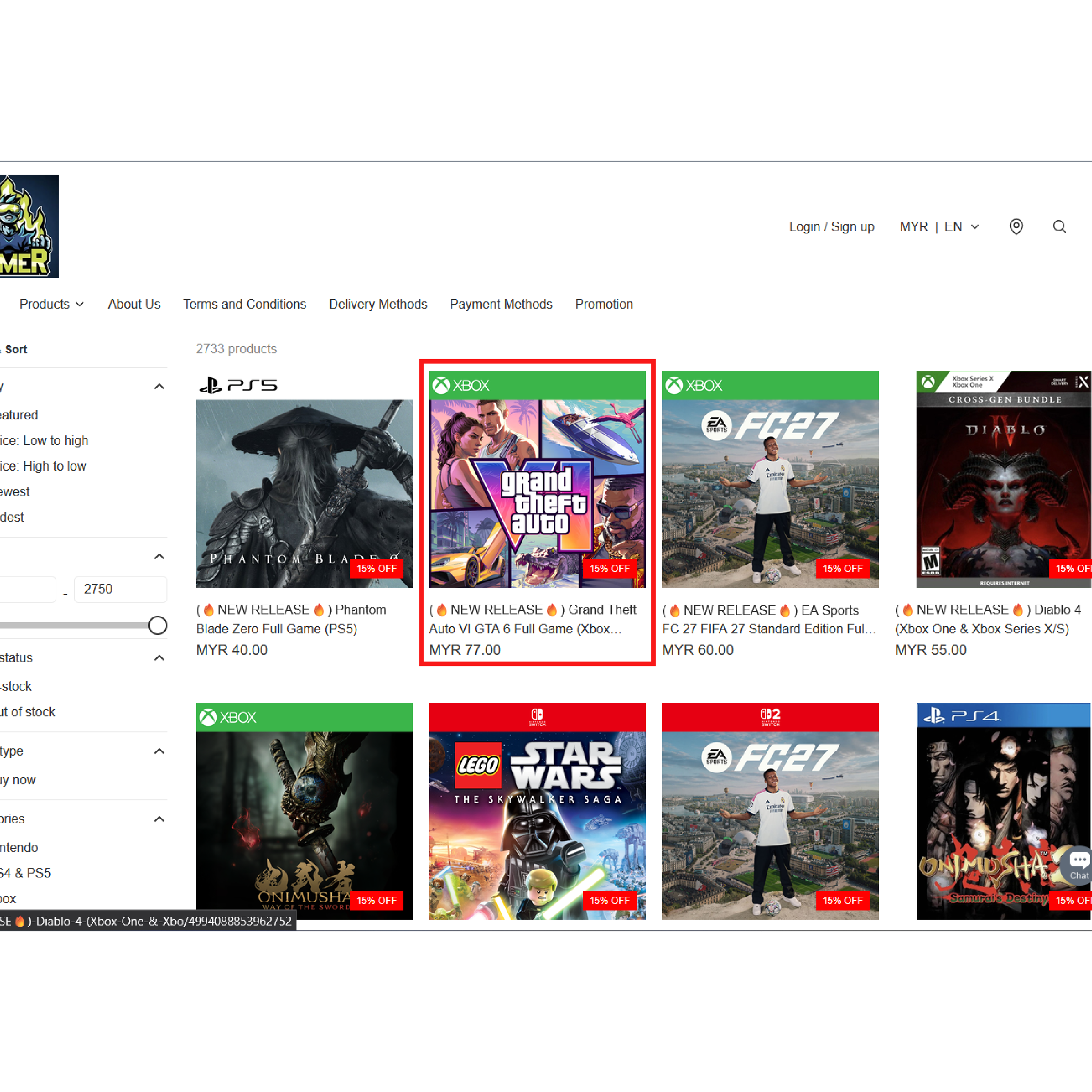
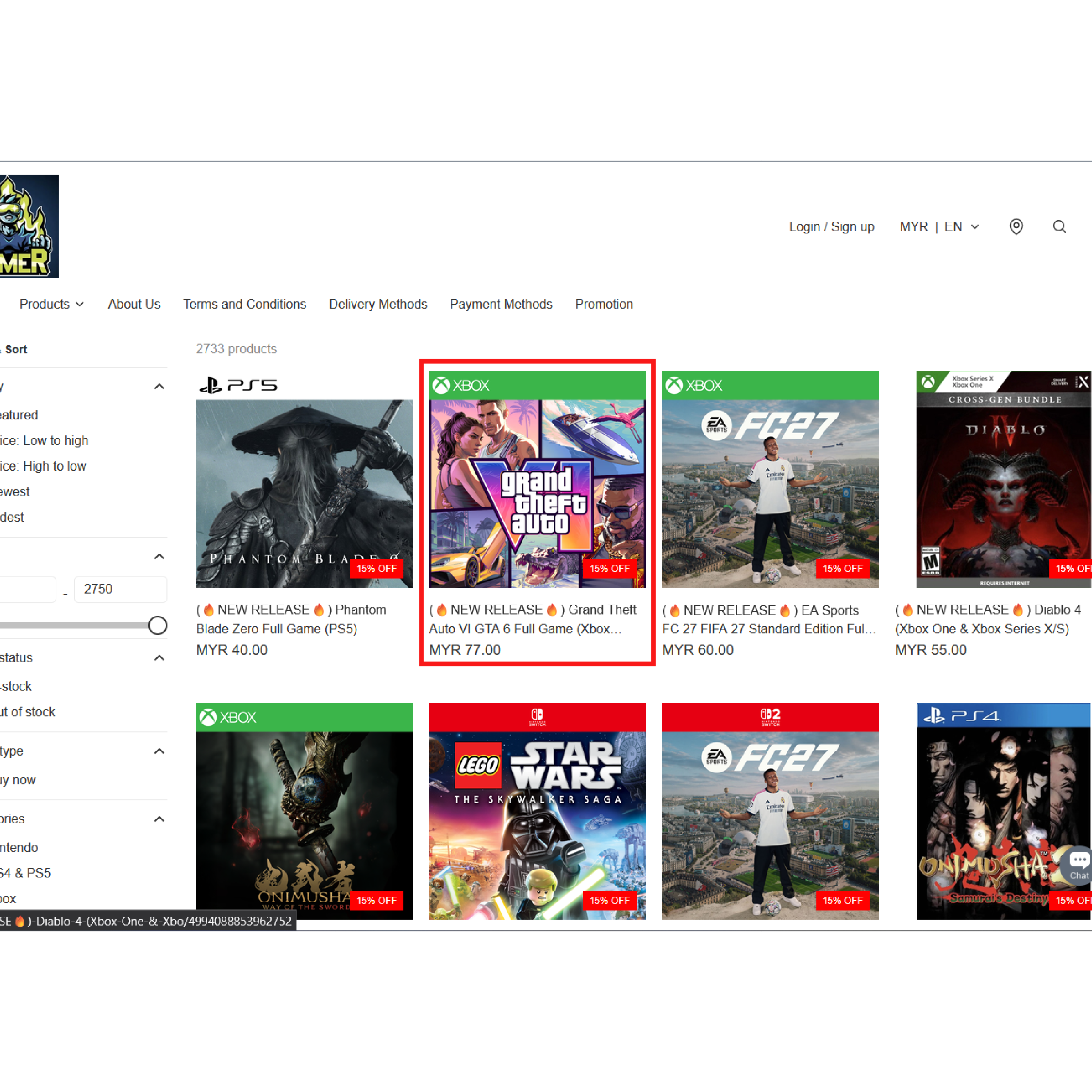
Step 1
Choose your games
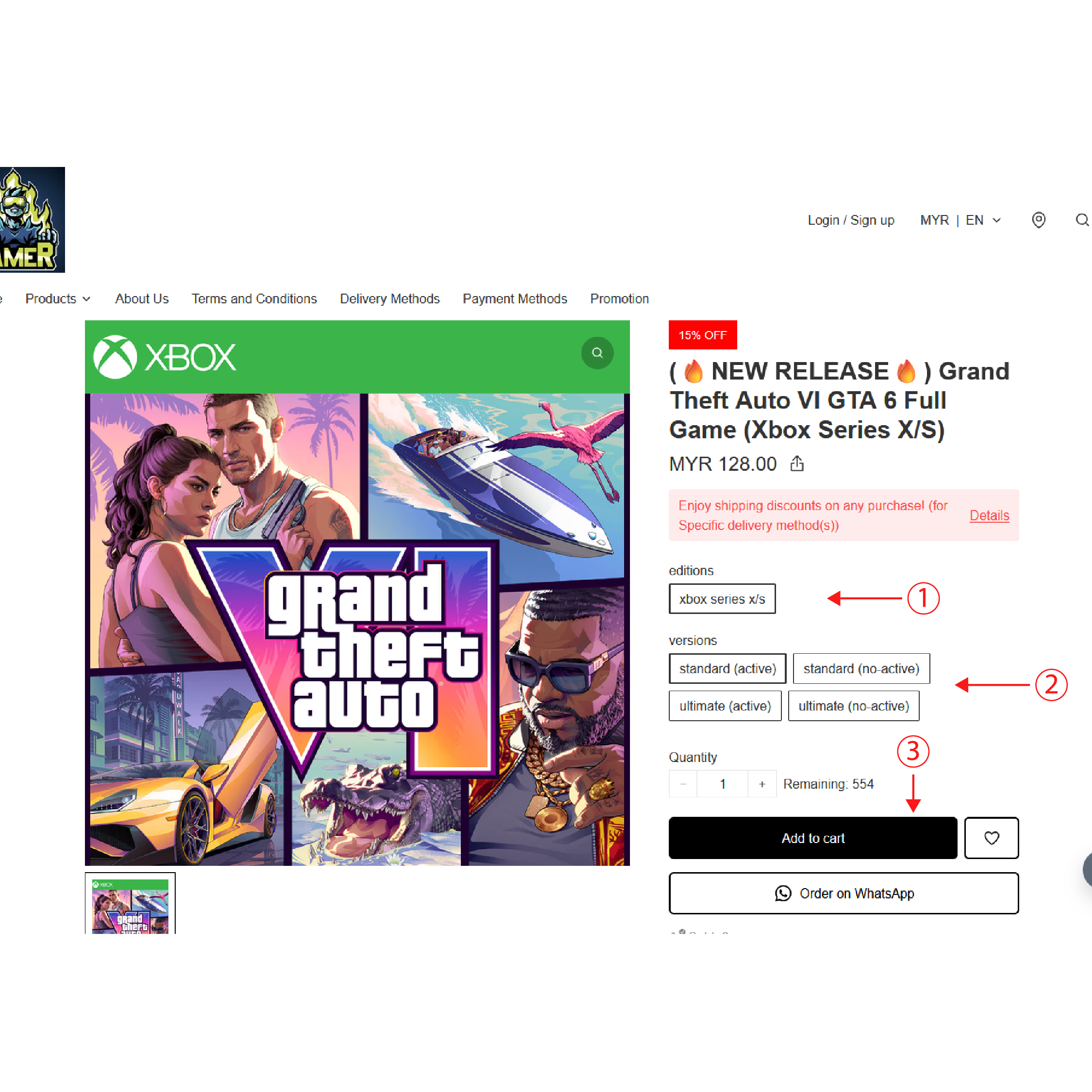
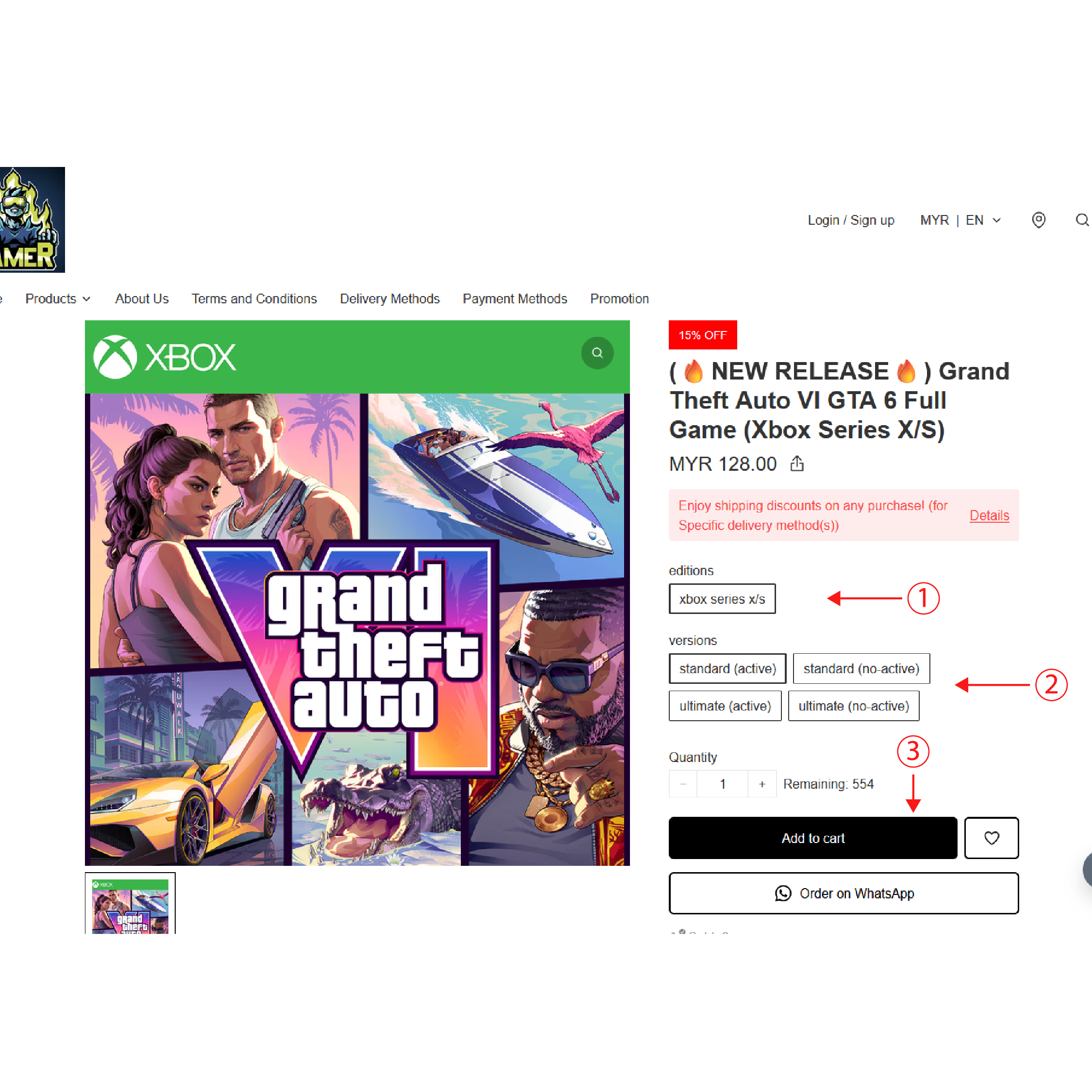
Step 2
1. click / tap editions 2. click / tap versions 3. click / tap add to cart
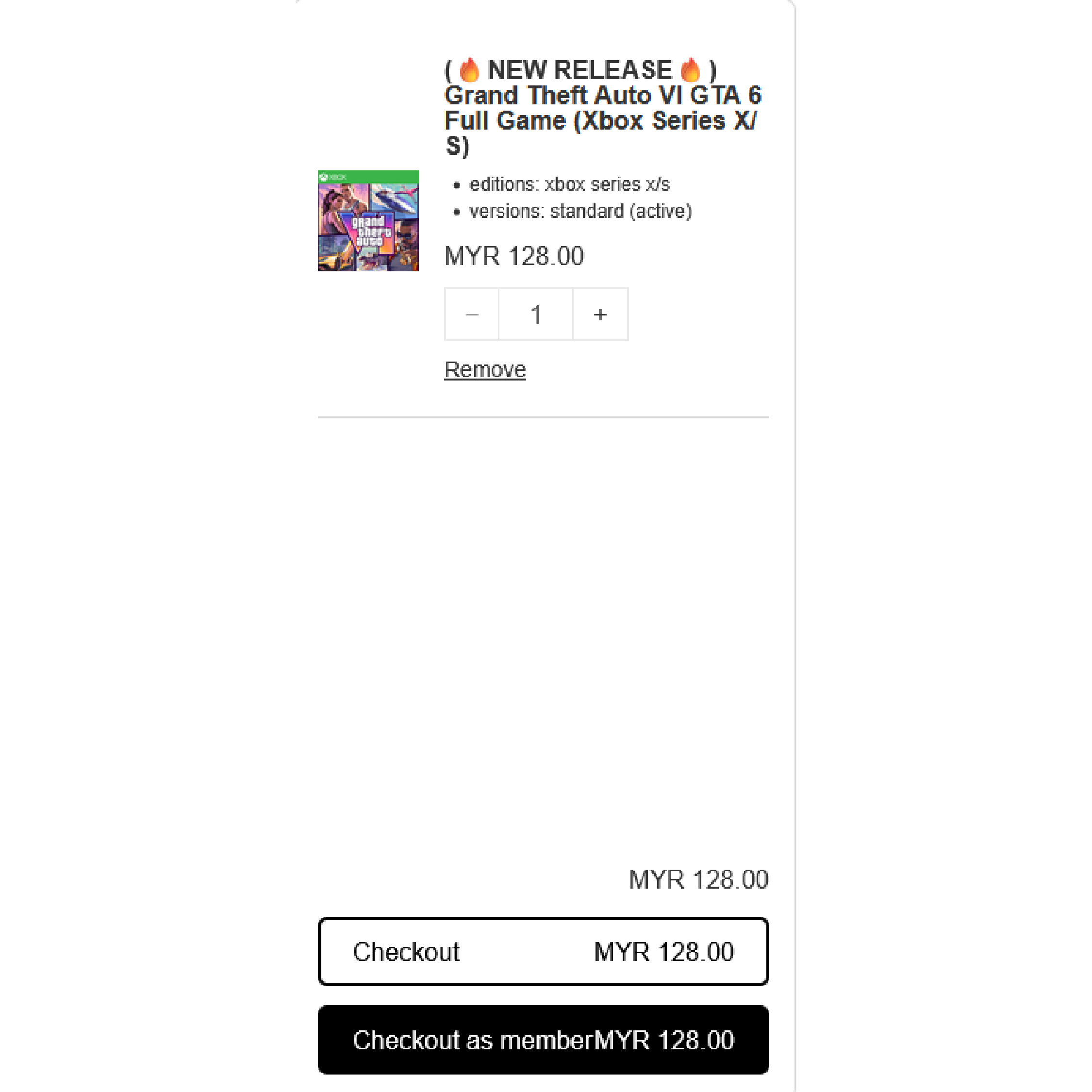
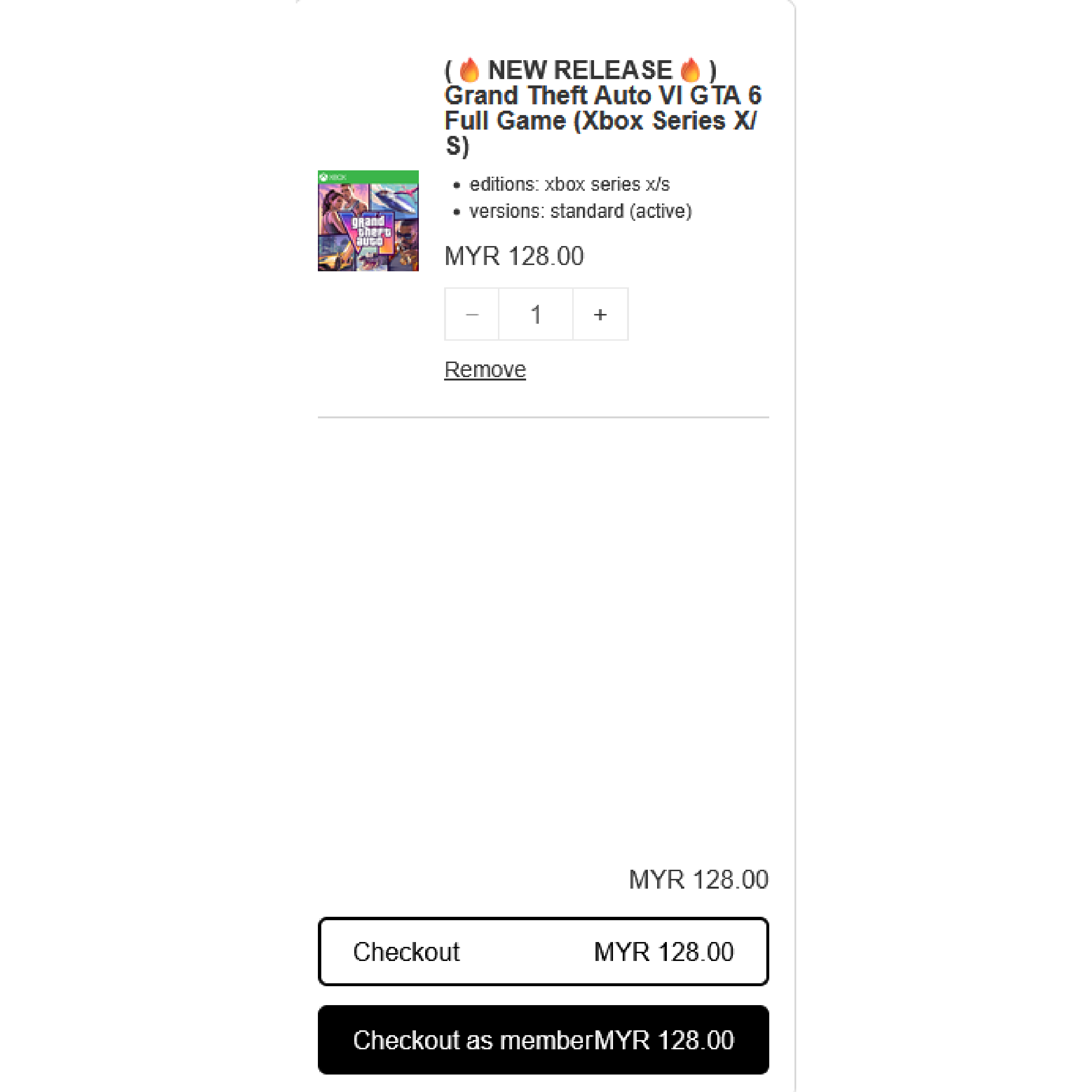
Step 3
Click checkout
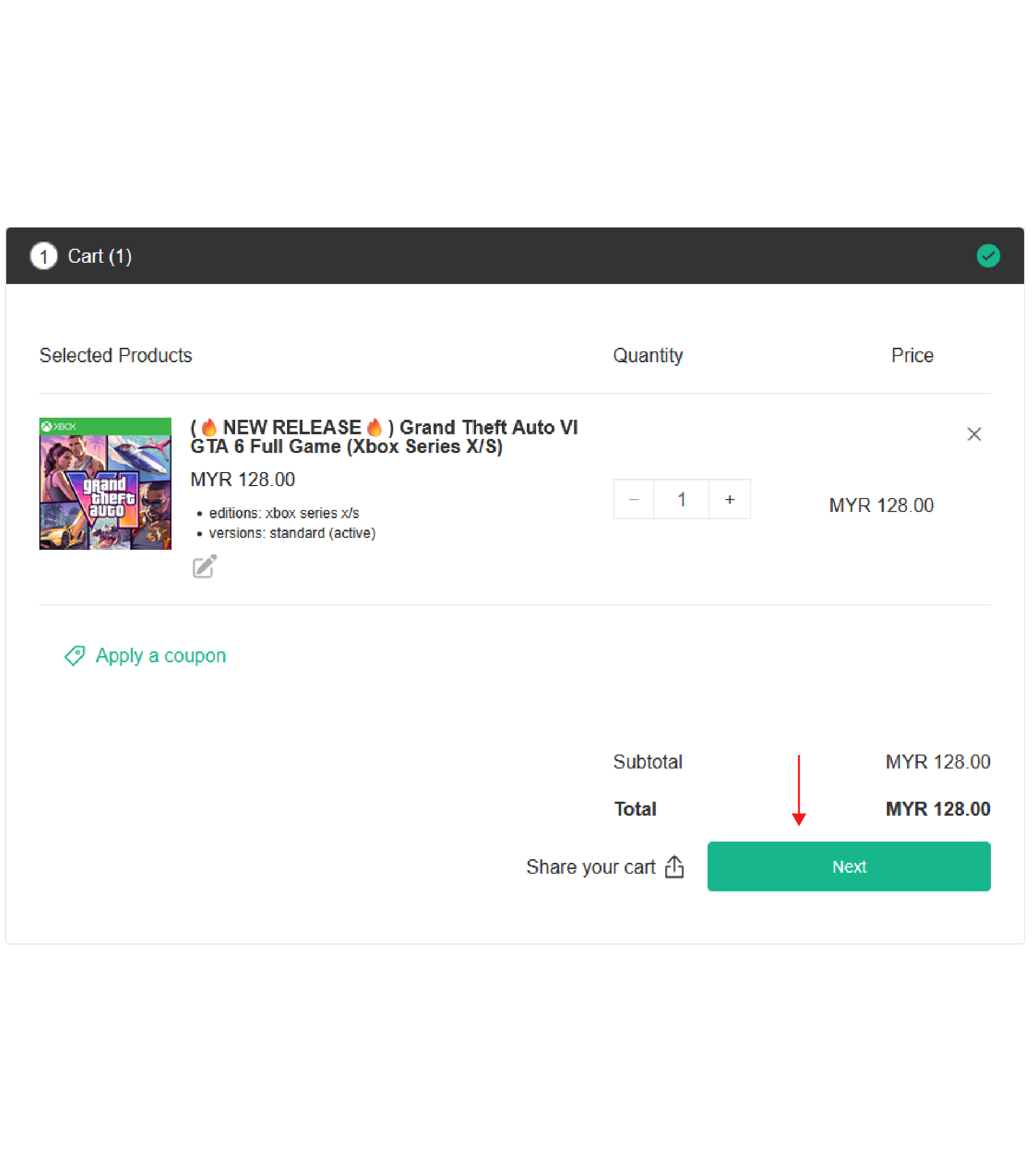
Step 4
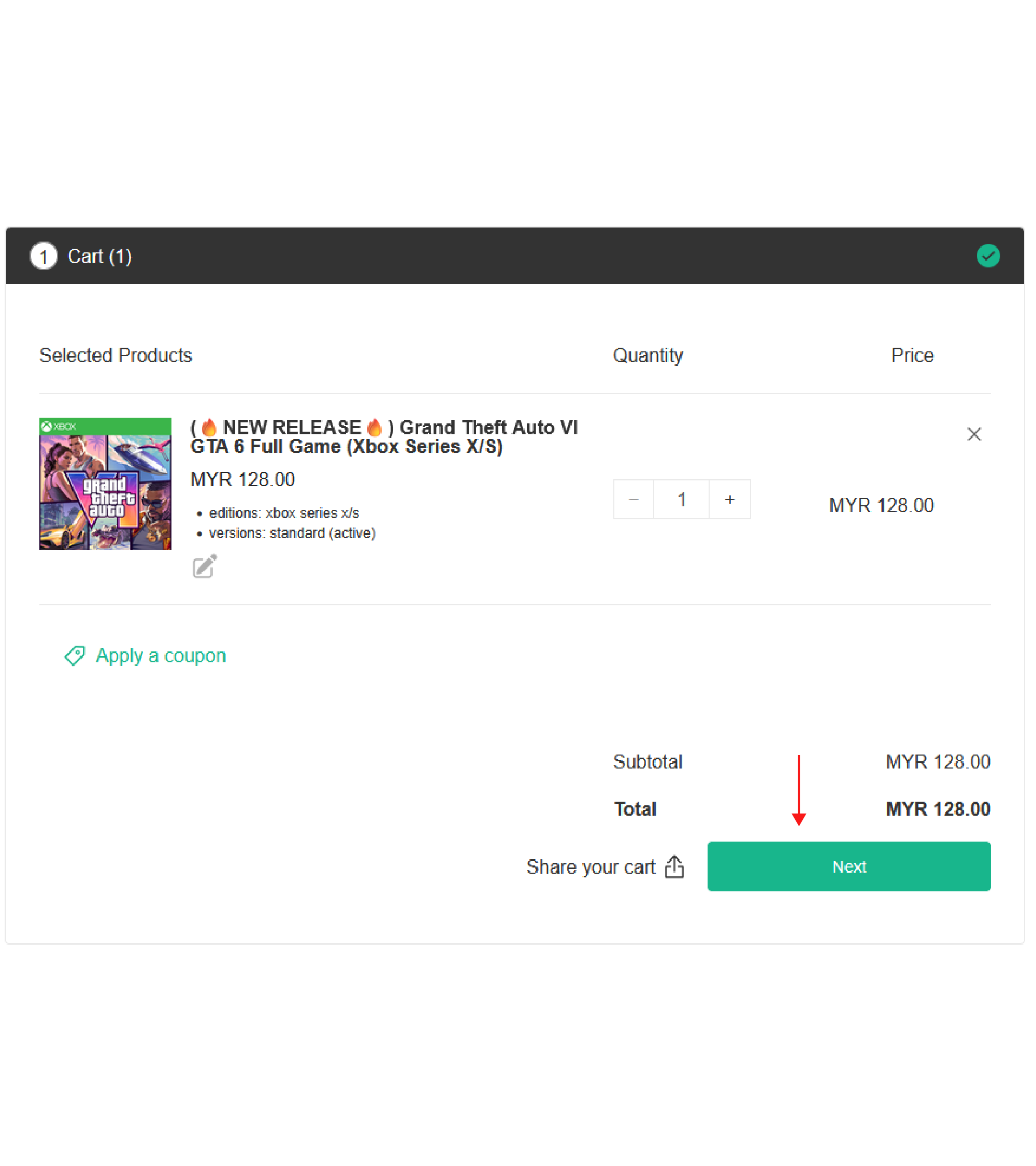
Click next
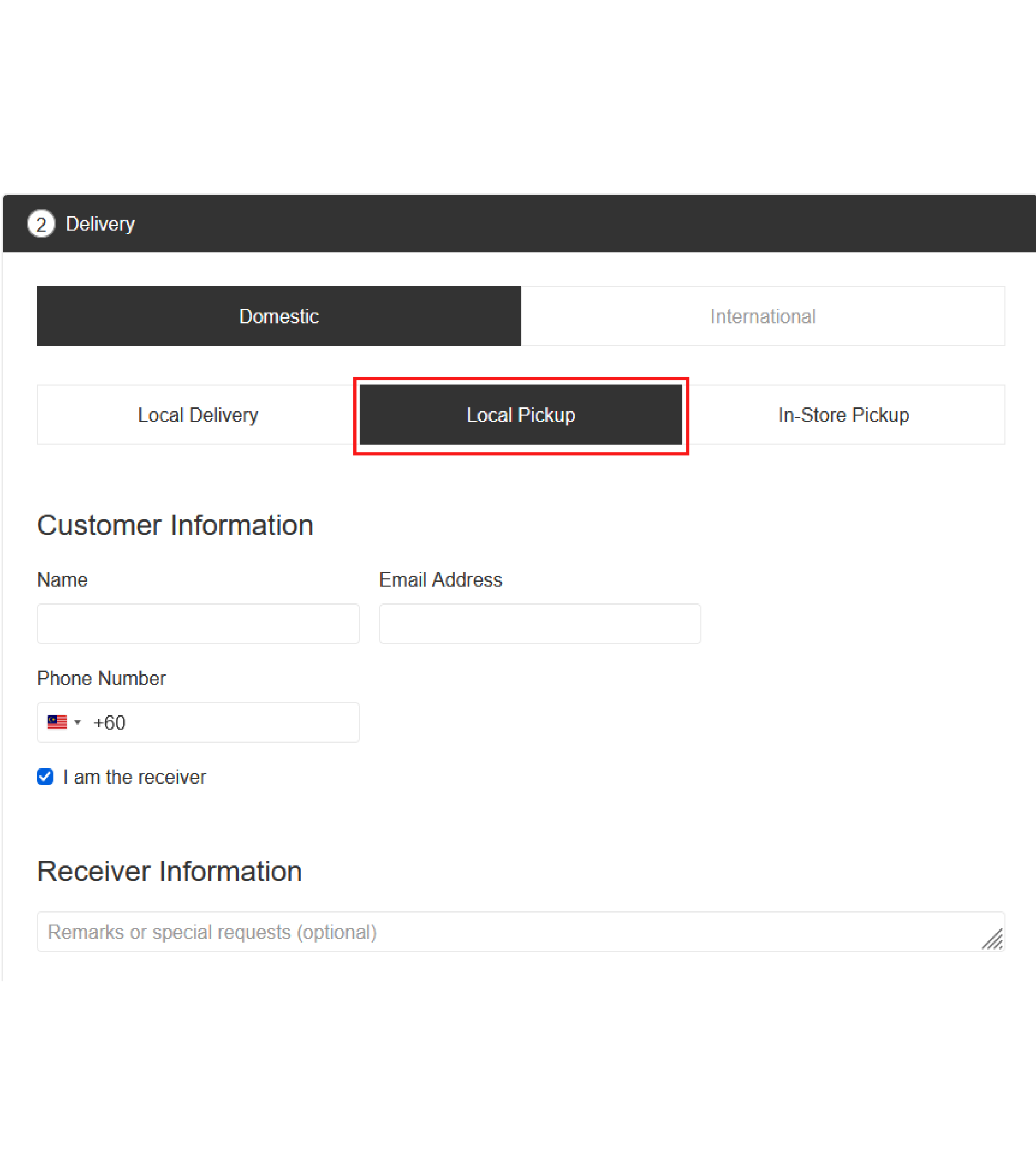
Step 5
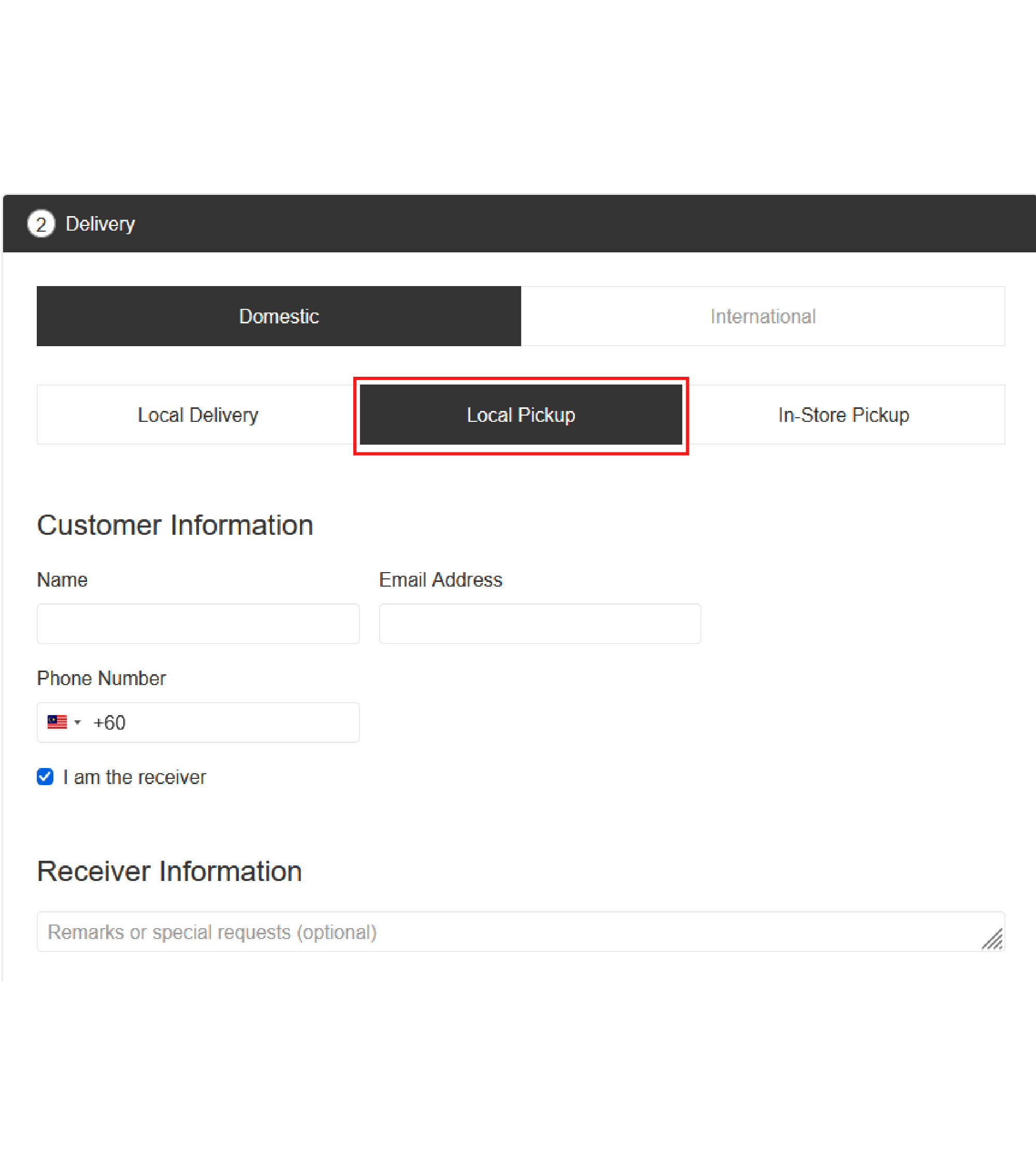
Choose ' Local Pickup '
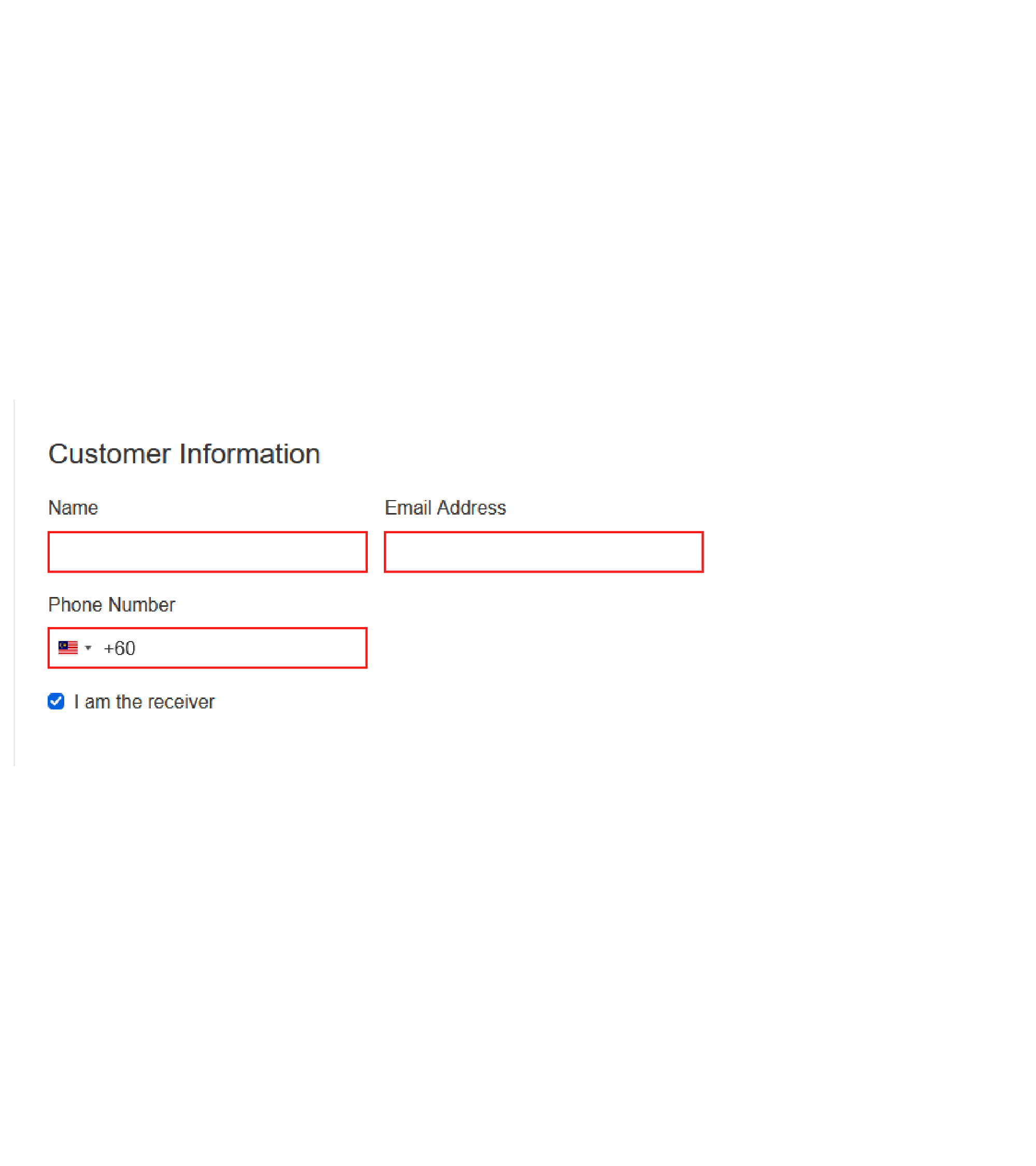
Step 6
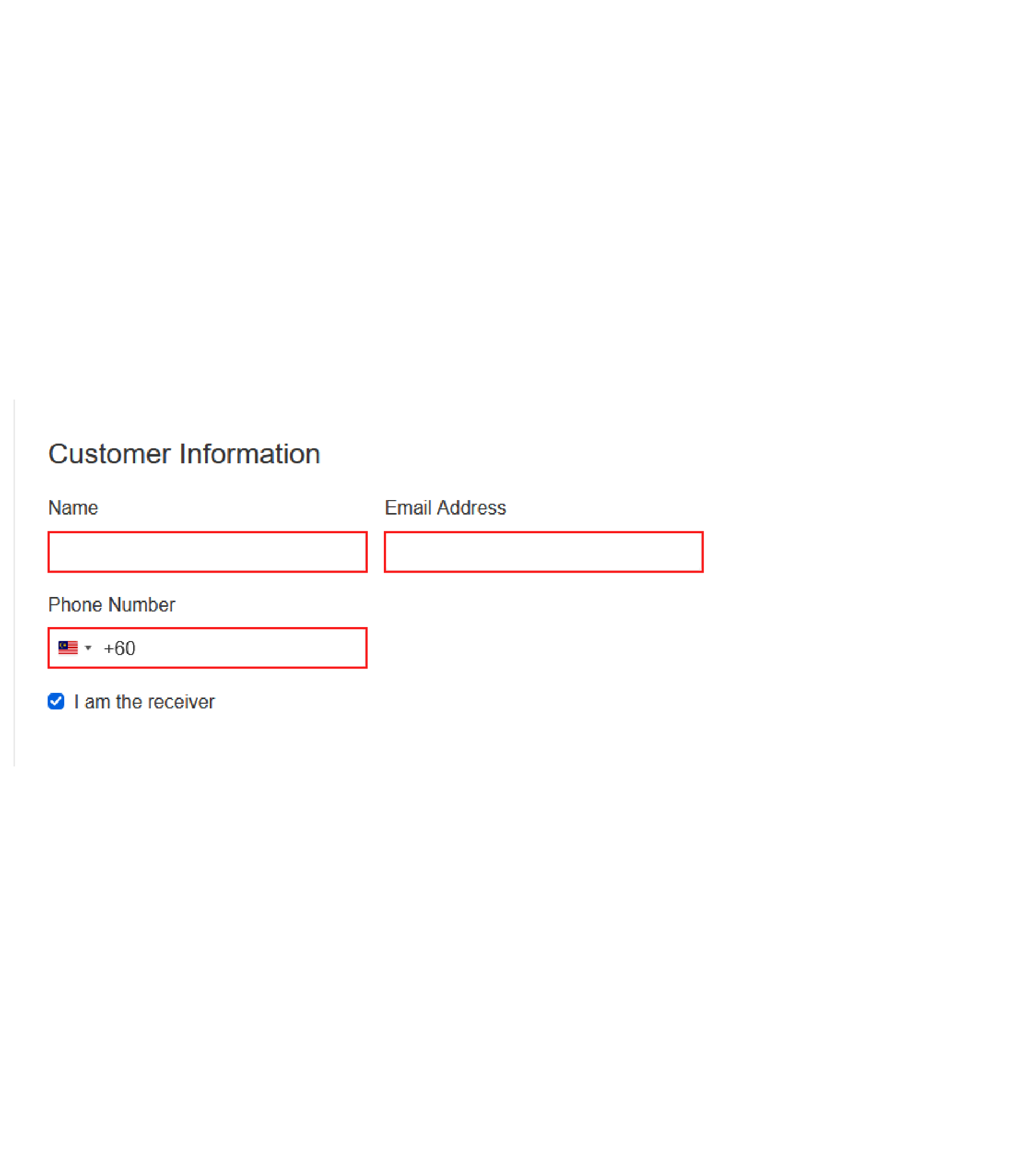
Key in your information
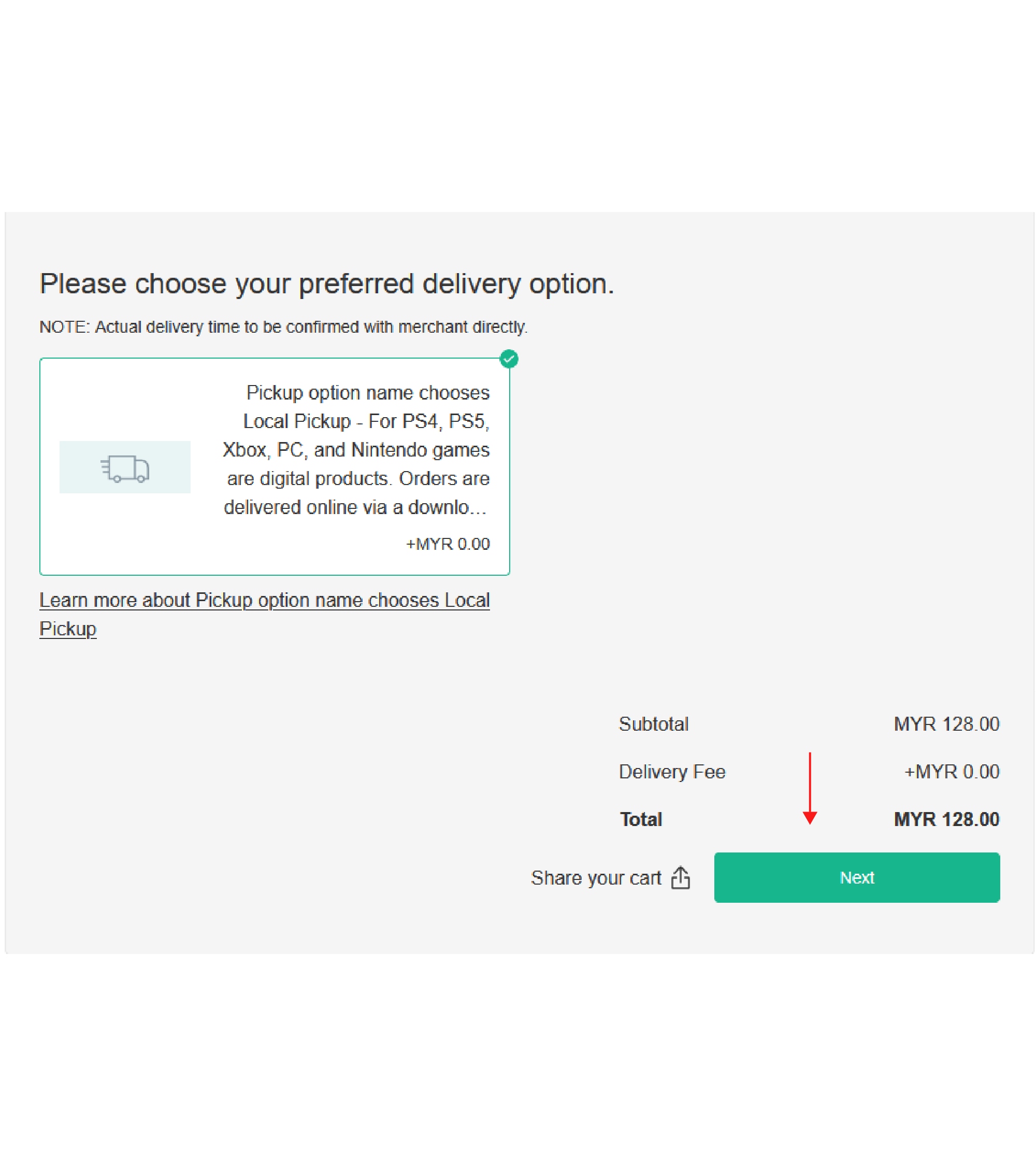
Step 7
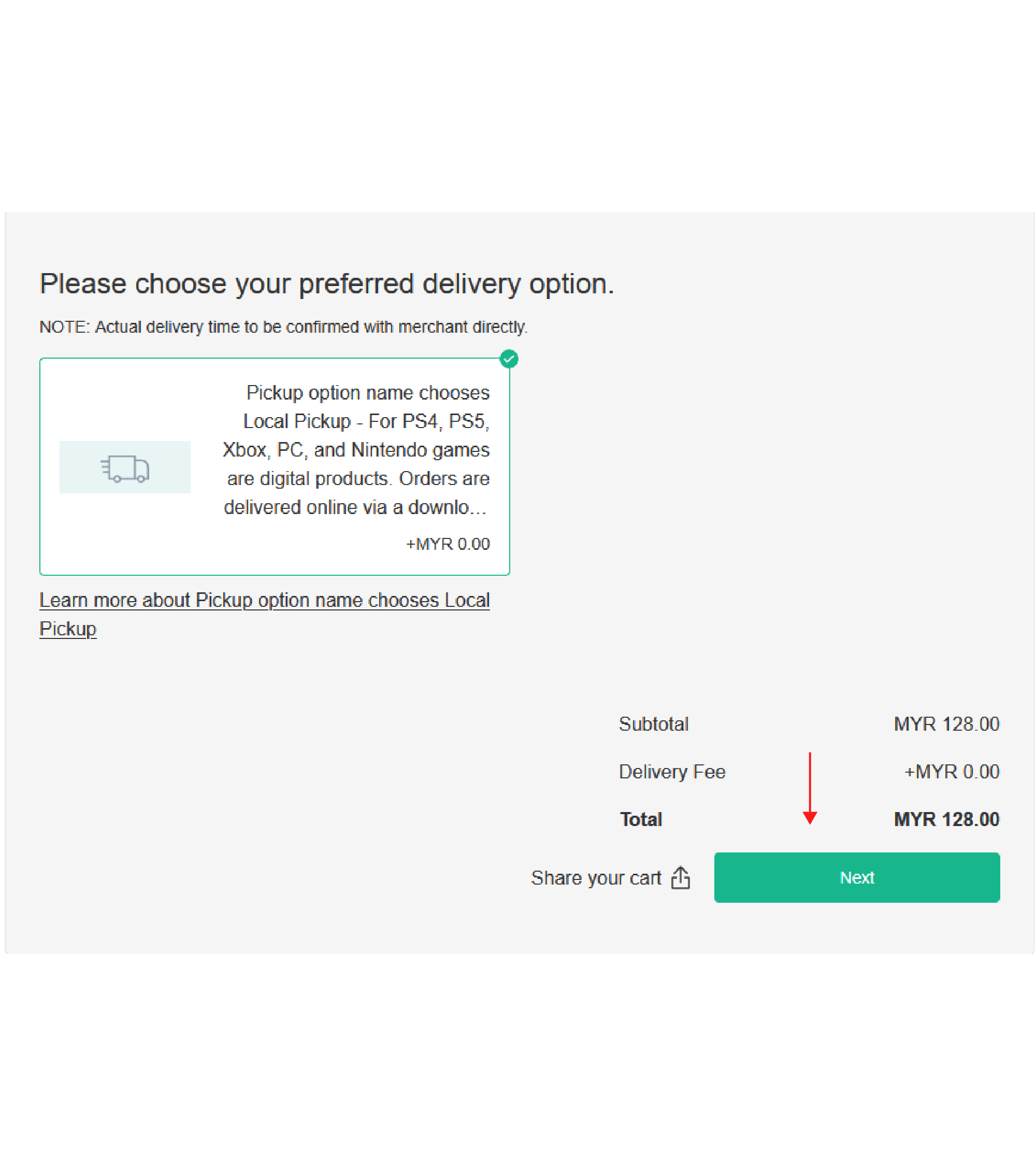
Click next
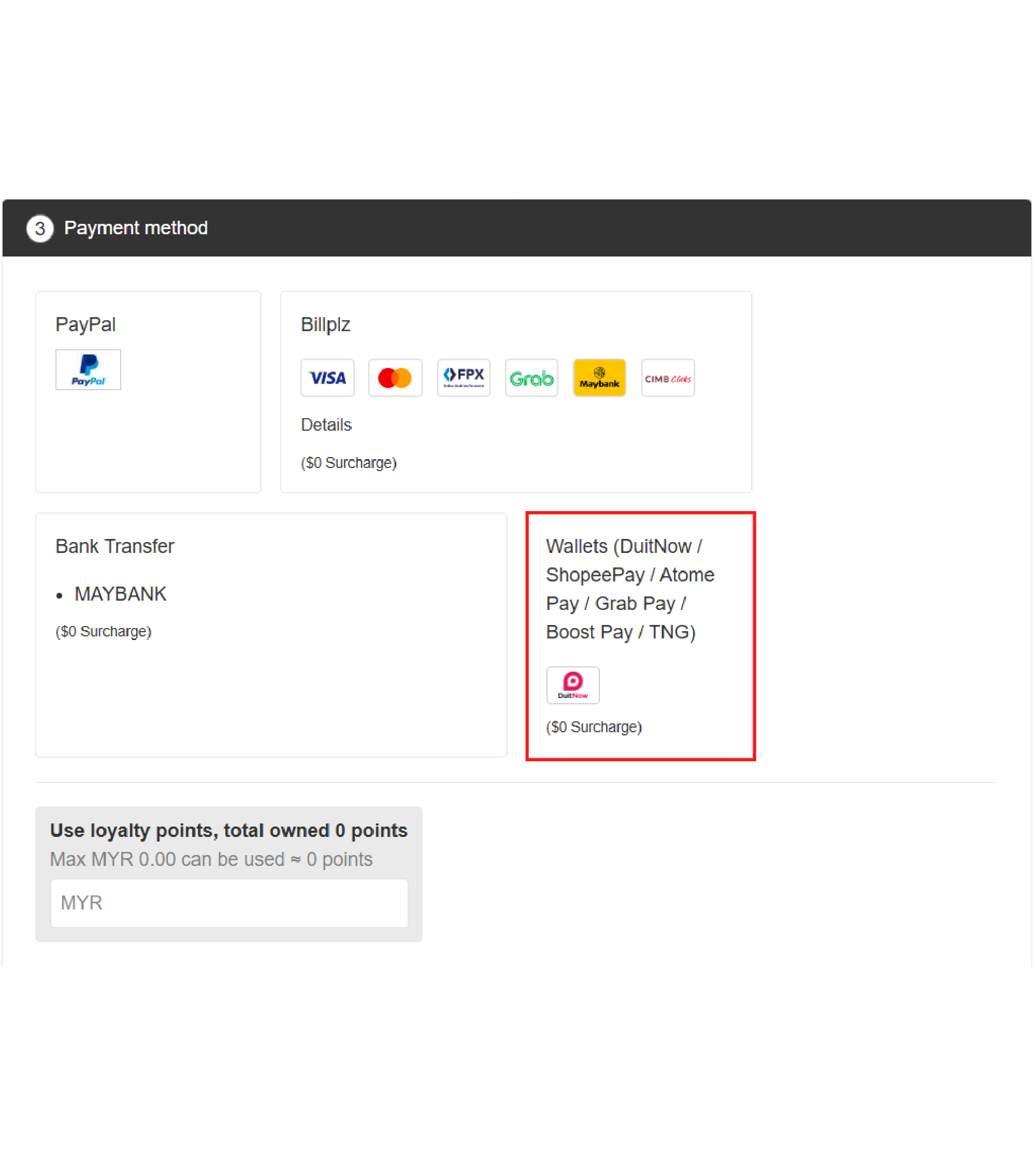
Step 8
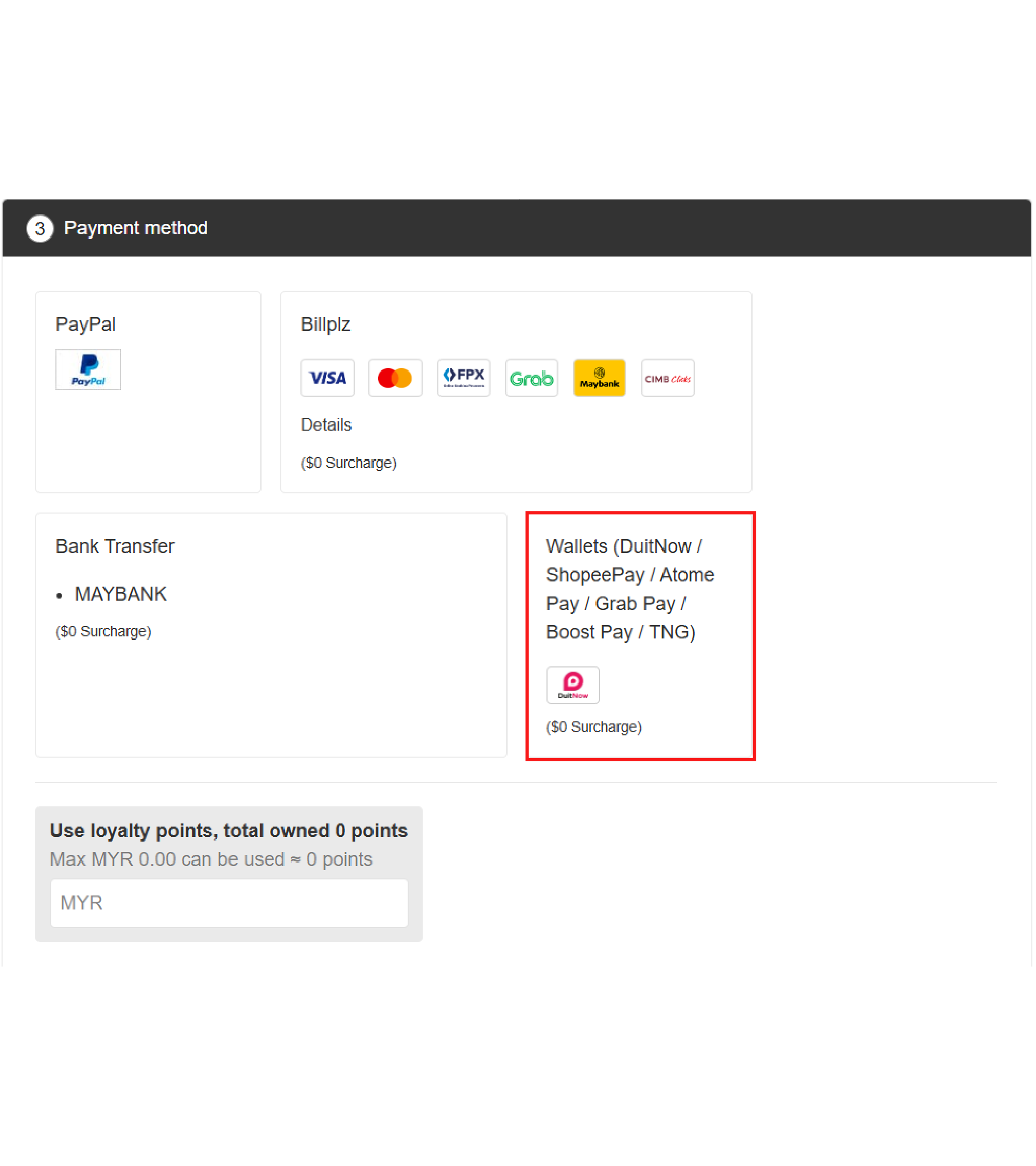
click on ' Wallets ' payment method and click 'confirm to pay' buttom
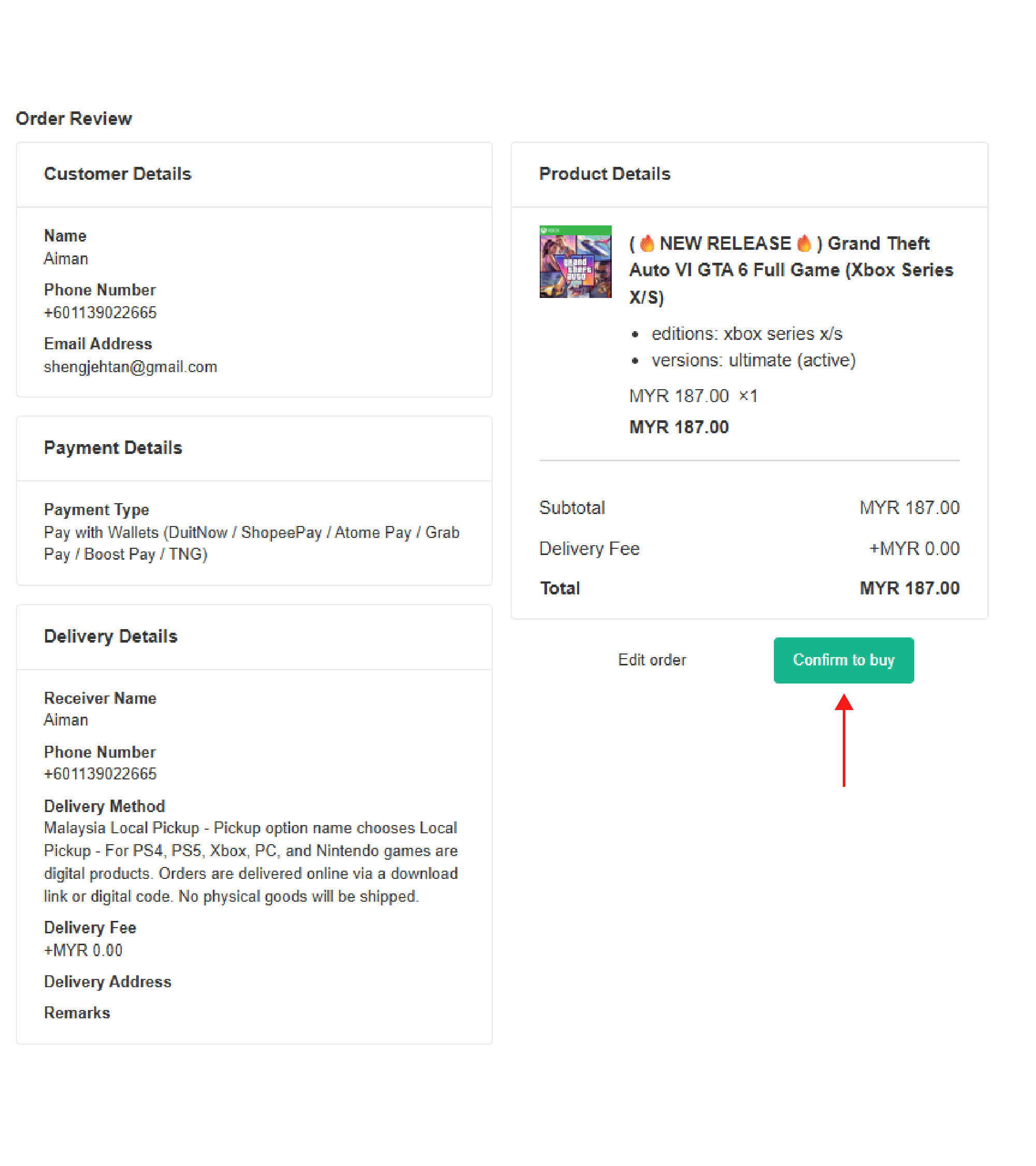
Step 9
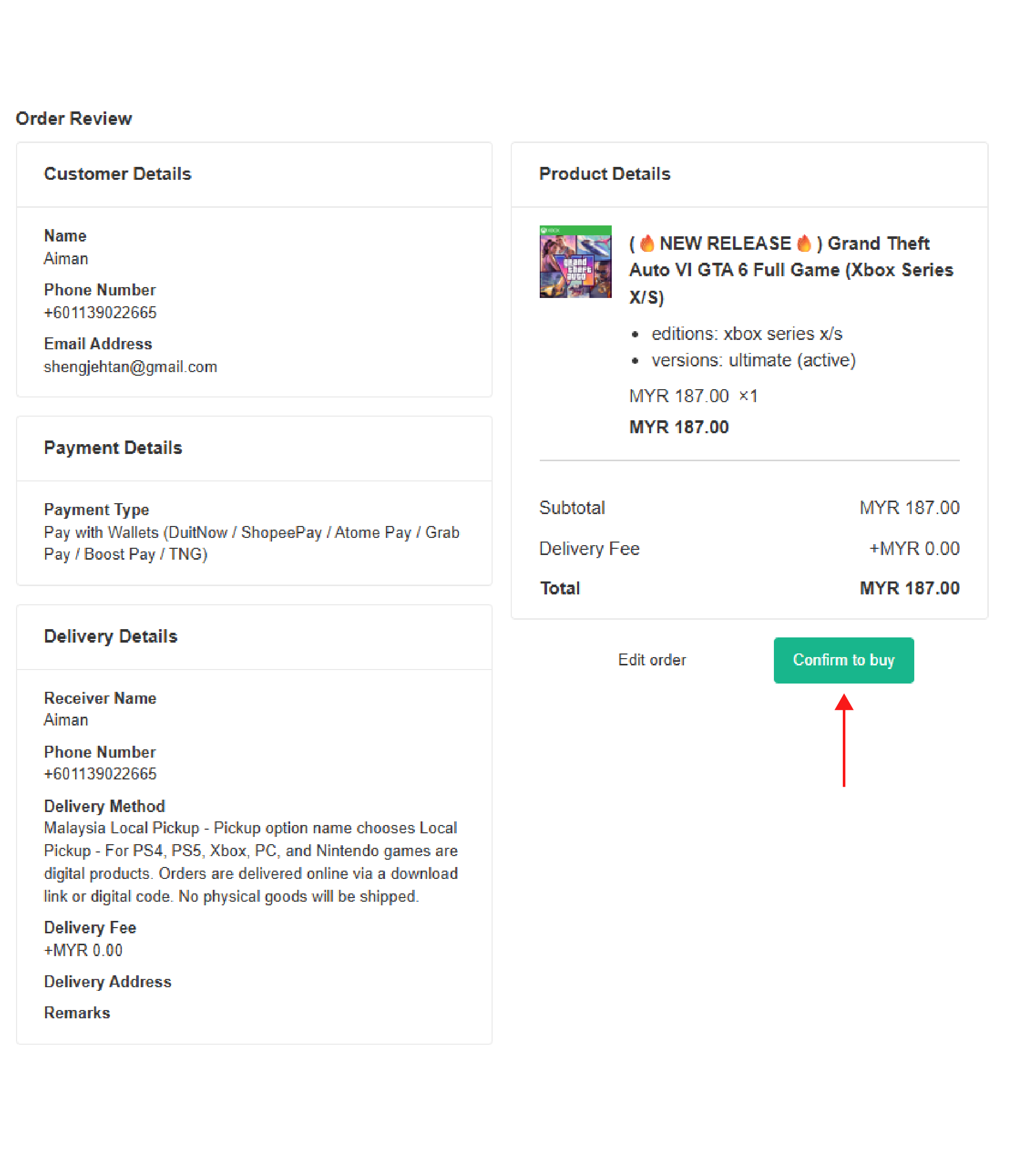
confirm your order details and click confirm to buy
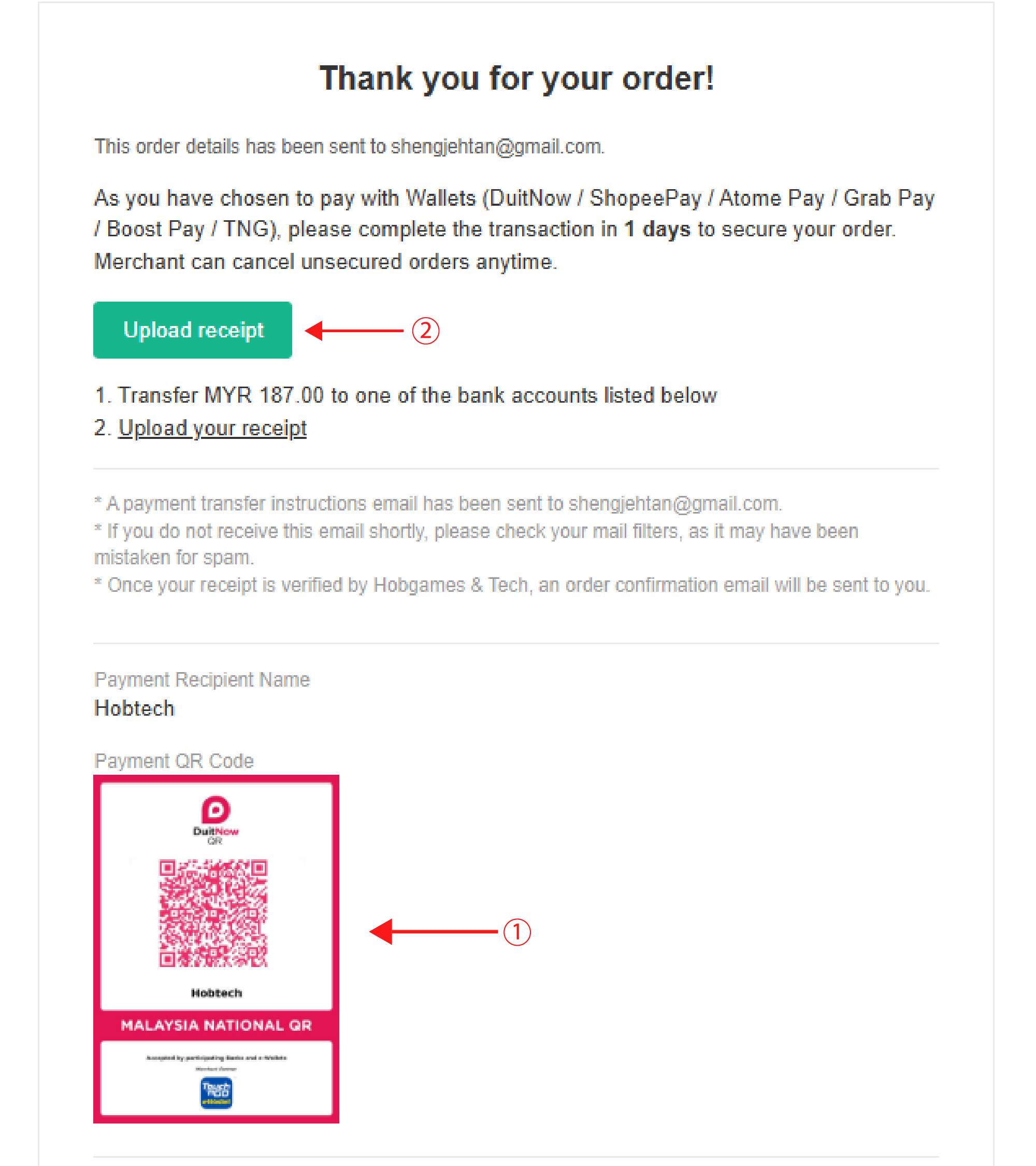
Step 10
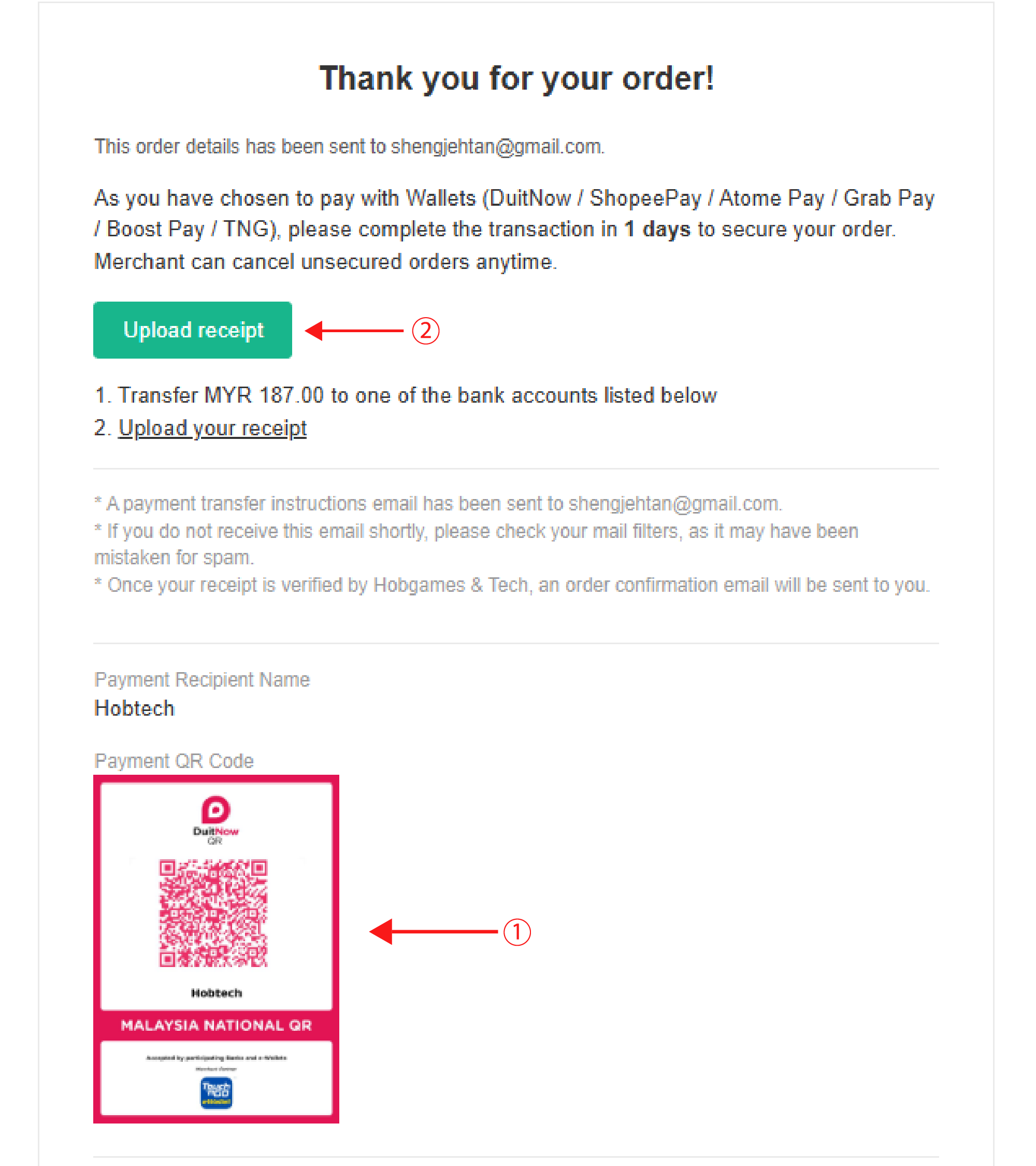
1. Scan our QR code to pay 2. Upload your receipt once payment is made
Step 11
Once payment is confirm, details will be sent through Whatsapp / crisp ( website chatbox)
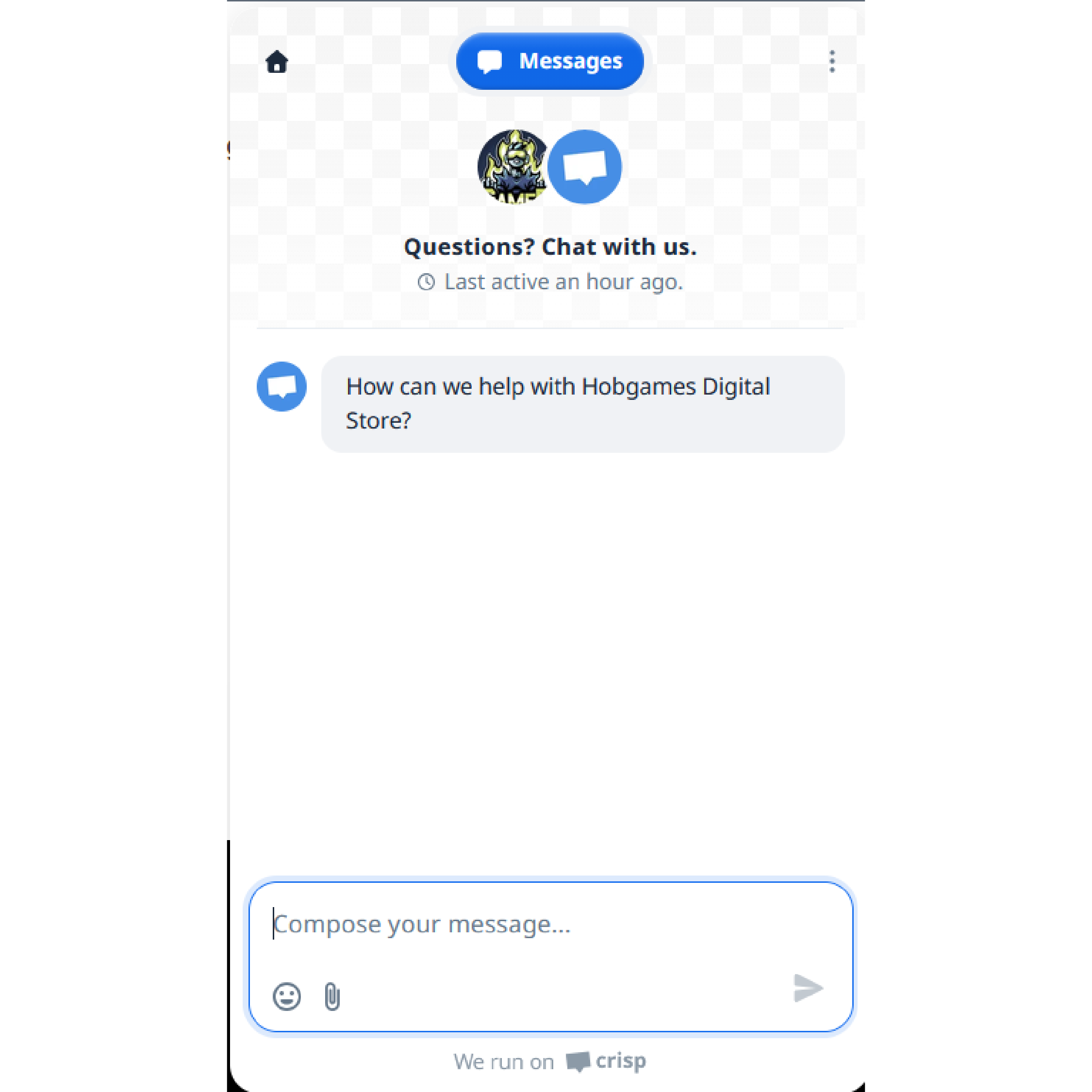
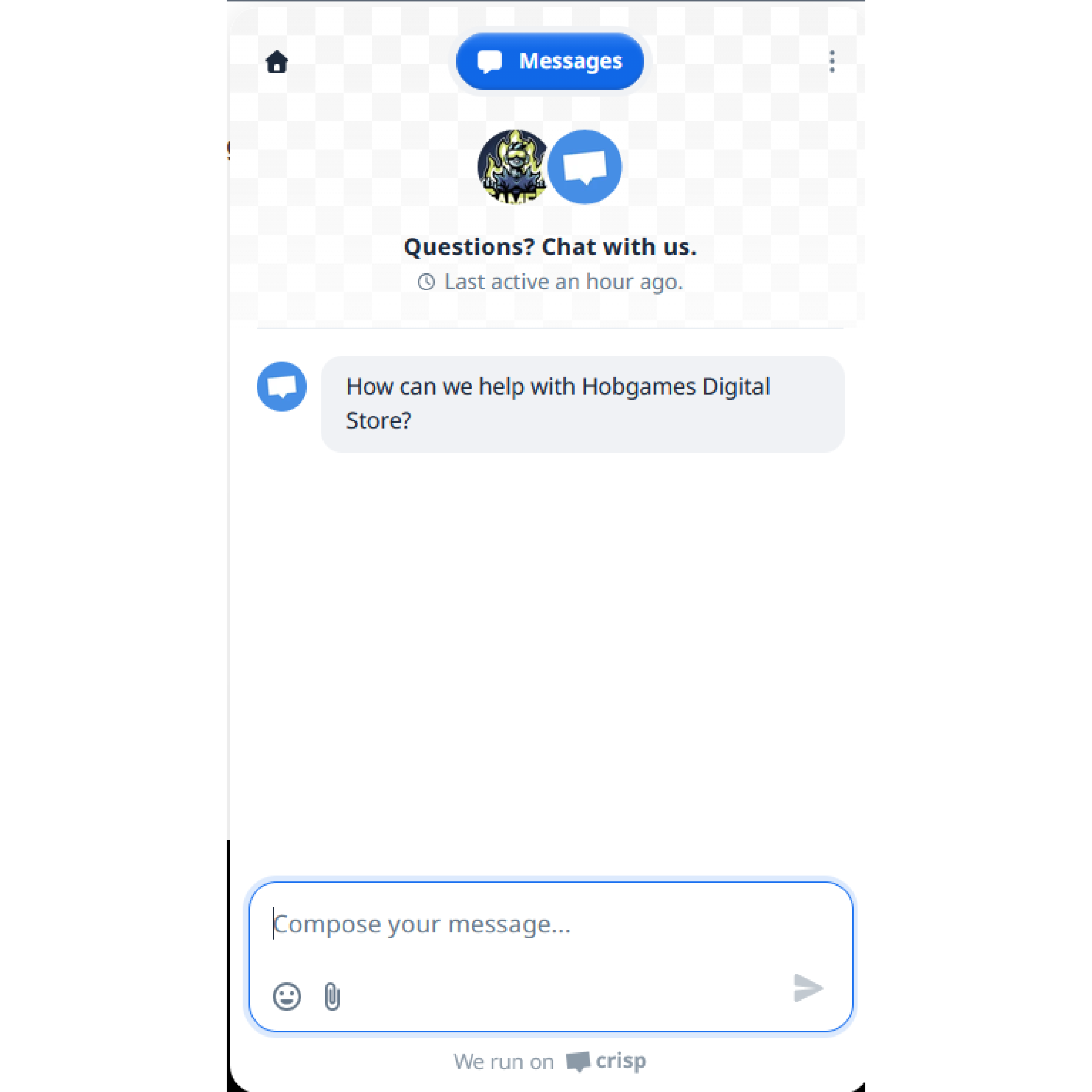
Chatbox
If you got any question, chat with us through our website chatbox on bottom right corner